 |
 |
 |
 |
 |
Frequently Asked Questions....
What Exactly Does the Software Do?
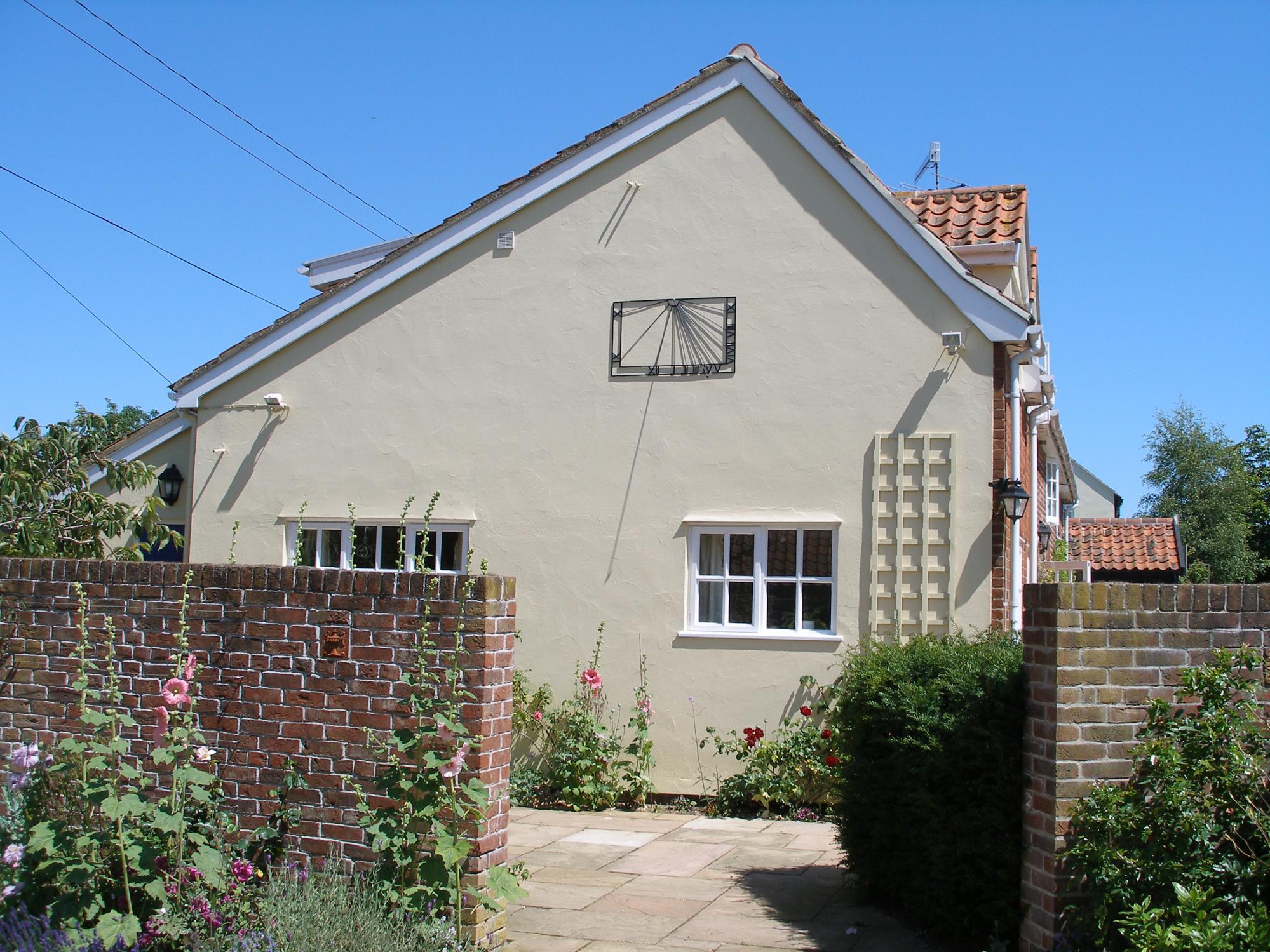
This software will design a wall mounted sundial. It is configured to work only in the northern hemisphere between the latitudes of 15 & 70-degrees, and for any wall with a bearing of between 110 and 250-degrees. In other words, it will design a declining wall mounted sundial on a wall that is up to 70-degrees away from due south. These limitations are a combination of me being lazy and not sorting out the maths for the southern hemisphere and being pragmatic about where a sundial works best. The software is very easy to use.
What is the history?
This software was originally written in 2001 and has been updated a few times since. It was written to design a sundial for the wall of my own house, but by the time it was finished I had long since moved. The first version stable enough to go on sale was in June 2001.
Please note that this is very much a hobby and it has little commercial value. The quantities sold are low, as you can imagine very few people have the patience and ability to do this, so welcome to a small club. The software is very stable and has quite a long history of use with an average of 15-copies sold per year, so perhaps about 150-copies sold in total, which is not so many.
What Support do I get?
I realise that for some people this is quite a challenge, both with using the computer and the task of designing the sundial, and I am quite happy to answer the odd question. I usually update this web-page to make things easier for others, so please take time to read the information first. Also, please remember to give me as much information as possible as otherwise I will not be able to help.
How Accurate is it?
It is not possible to design a more accurate sundial. If you measure the bearing of the wall to within half a degree, which should be possible with patience. If you know your latitude and longitude then all corrections are taken into account and the results are amazingly accurate.
Downloading the software
You can download the software here sundial.exe. The software has limited functionality until you pay for and download the key-file. Please check that it runs on your computer first before you download. The software is compiled only for Microsoft Windows, there are no Linux or Mac versions. You can pay for the software by going here.
Downloading the Key File
The full features of this software are disabled until you put the key-file in the same directory as the program. This is to allow you to download & check the software runs on your computer before you pay. The key-file is a simple .txt file starting with the letter K and if you open it you will see see words Keyfile for sundial program. It is the filename that is important so please do not change it. The directory should look something like this with both the .exe and key file in the same directory. You can also see here a loacaldata.txt file, which is created after you have run the software for the first time and stores your last settings so that you do not need to re-enter them when you re-start the program.
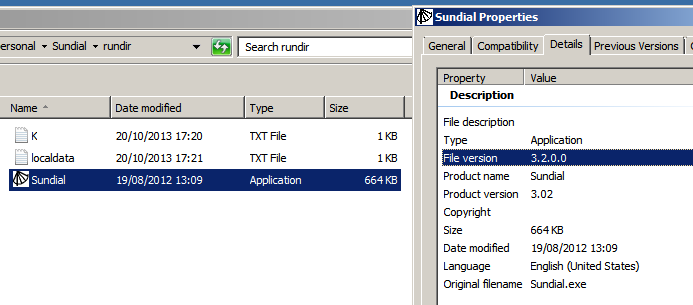
To download the key-file and the software, press the RIGHT button on your mouse then Save Target as... and follow the instructions. I suggest that you should create a directory specifically for this. Please try to not get confused about this and if you are struggling then please get someone to help. If the software does not find the key-file it will warn you and tell where the key-file needs to be placed.

Latitude & Longitude
The software comes with a latitude & longitude look-up table of a large number of cities in Europe & America. If the position of your sundial is more than 30 miles from these, for best results you should enter your exact latitude & longitude to within 0.1 degree which can obtain from a local map.
Number Format
When you enter the numeric inputs you need use the number notation of your computer. For example 50.1 is correct for the UK and 50,1 is correct for most of Europe. It displays the numbers in the format you need to enter them.
Please note, when you look up your latitude and longitude you may find the value written as degrees and minutes. Where the second number is the minutes and between 0 and 59. The software uses decimal so to convert take the minute number and divide it by 60 to get the part of the number that is after the decimal point, so for example 30 minutes => 30/60 => 0.5
Time Zone
The program will generate your dial to your chosen time-zone, specified as UTC. For
further information I found this web page helpful.
 or the
.pdf map here.
or the
.pdf map here.
Wall Bearing
The Wall Bearing is the True direction that the wall faces and it is essential that this is measured accurately. To measure this, start by finding the Magnetic Bearing using a good quality-walking compass, like this one from Silva. Just to remind you, True North points to the rotational axis of the earth, whereas Magnetic North points to a magnetic pole. The Magnetic north moves about a little and every few thousand years it even flips. It is not in the same place as True North but it is convenient to use and can be found by using a compass.
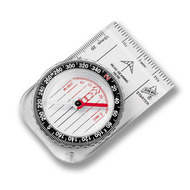
Hold the back edge of your compass against the wall and rotate the dial until it aligns with the needle to get the Magnetic Bearing, then subtract or add the magnetic declination, usually just a few degrees to get the True Bearing, which the program needs. The declination can be obtained from a local map, a local library or this WIKI page. For UK sites with a westerly declination of a few degrees this number is subtracted.
For those that need a reminder of school maths, the bearing is a number between 0 and 360 that goes clockwise; 0 degrees is north, 90 degrees is east, 180 degrees points towards due-south and 270 degrees points west. The bearing you end up with needs to be between 110 to 250 degrees.
I cannot stress how important it it to get the bearing accurately. GPS navigation computers will NOT work as they are not accurate enough. When you use a compass you need to remove all steel objects like watches and nails that can cause an offset. Also, for those that live in an area of high declination like north America you should go to your local library as there may be a large local variation, which will only be known locally. Remember, the bearing of the wall needs to be within a half degree. If you are finding this difficult then do not panic. I suggest that you can make several prototypes each with one degree steps and see which one works best. It is obviously more work but you are unlikely to be more than a couple of degrees out and this may be the easiest solution.
The accuracy with which you need to measure the wall also depends on how far away from due-south you want it to point. For south facing dials, you can get away with 1 or even 2 degrees of accuracy but if the wall is 60 degrees away from due south then the wall bearing is very important. You can see this by how closely some of the hour lines are spaced and if you want to include these, you need to measure your wall with some accuracy. This is a large part of the art of sundial making.
Why have you forgotten us in the southern hemisphere?
Simply the demand from the southern hemisphere is very low and it is also not easy for me to test if it works and it would be irresponsible to sell something that is untested. My offer, if you have an email address from a country in the southern hemisphere, then contact me and I will give you the keyfile for free on the condition that you share with me your results.
If I am correct, to design your dial for the southern hemisphere you need to enter your latitude as if it were a positive number and then add 180 degrees to your wall bearing, so 10 becomes 190. I think it is this simple!!
Building the dial
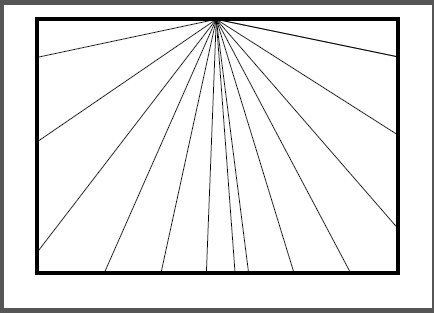
The easiest way to build and test your dial is to run the program and print PDF. This makes a PDF file and plots only the hour angles and gnome angle but no hours are written as this is intended as a design aid rather than to be used directly. If you want these then please open the program to at the largest screen size possible, press the PRINT SCREEN button on your keyboard, open a graphics package and paste the image. You can now crop and manipulate this image, ensuring that you keep the same aspect ratio.
I used the print screen method on these two examples where I printed the results on an A4 sheet then fixed them to hardboard and built the gnome using thick copper wire. The sundials are accurate to 5 minutes, which is not bad for just a minutes work and is a great school science project.
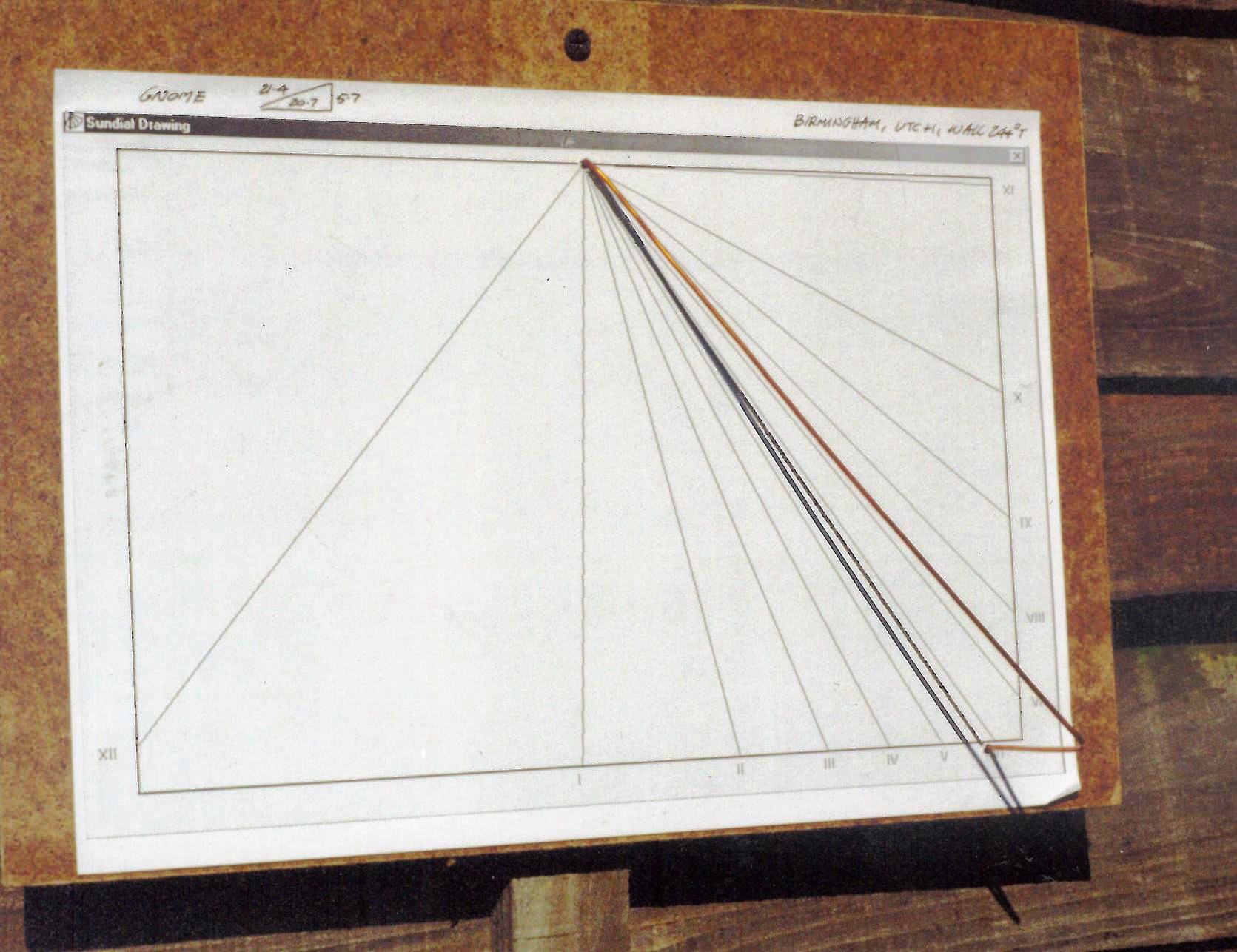

When you build your dial, can I suggest that you have a light background onto which the shadow falls. Common sense really, but it can be a bit annoying not to be able to read your sundial after all your work.
To help with printing, there is a PDF print facility built in that will generates a PDF file.
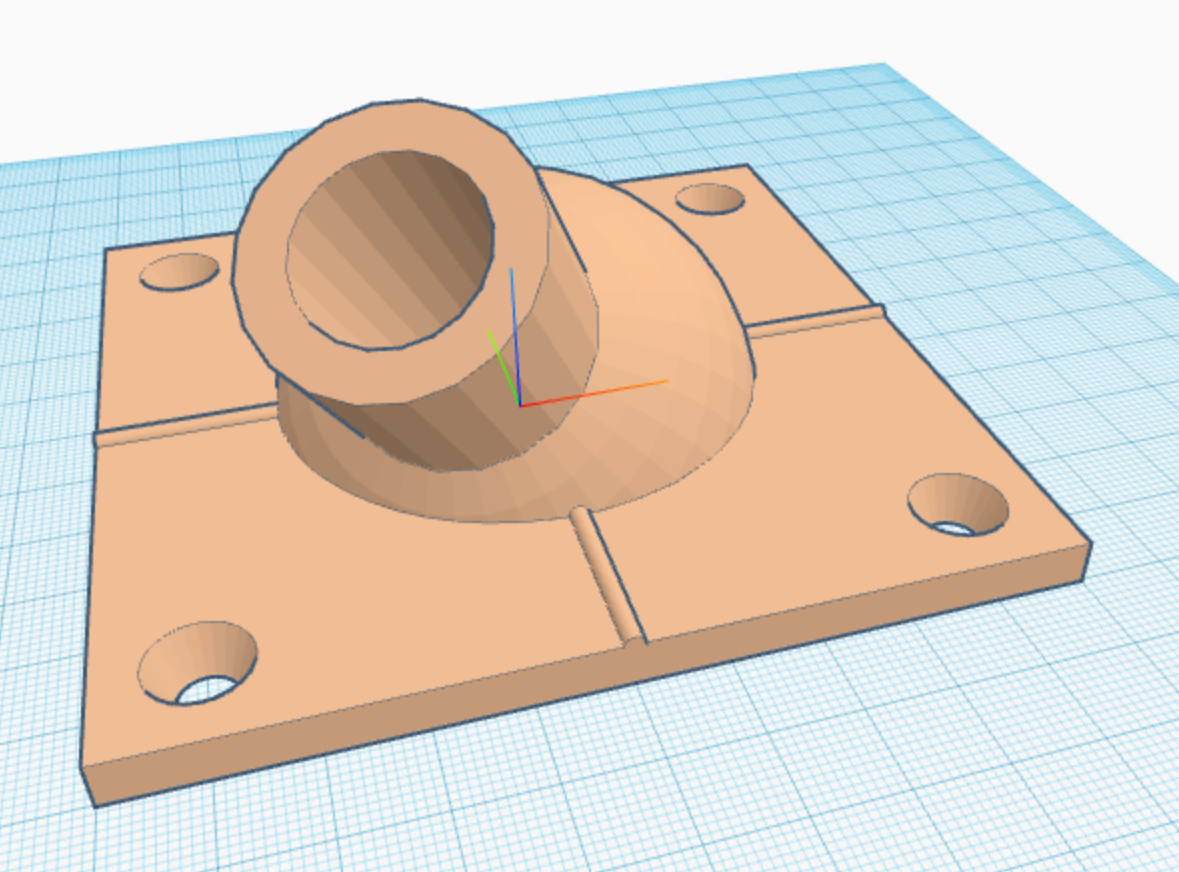
3D print the Gnome?
One of the hardest parts when making a dial is to build the gnome with the correct angles. This is where 3D printing can help and I have made a document to show you how you can do this. Click on the image below to open the pdf.
What if the wall is not vertical?
Now this is advanced stuff but it perfectly possible to get an accurate dial working on a non-vertical wall. You could even make this a feature. The first thing is to measure the slope of the wall in the north-south direction. Once you have this, say the wall slopes backwards by 5 degrees, then add this figure to your latitude, and the sundial will work just fine.
The Equation-of-Time.
You've built your dial and you have noticed an error. Two things will cause this,
either your construction is faulty (which I am sure is unlikely) or the earth is broken....
I refer to Equation of Time.
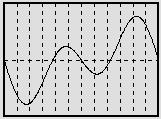
The sundial measures the position of the sun relative to the surface of the earth. This position obviously changes throughout the day as the sun travels overhead, but surprisingly it also varies throughout the year. There are two reasons for this; the first is the Earth moves round the Sun in a slightly elliptical orbit, the second is the Earth is tilted by about 23?, resulting in the height of the Sun changing between summer and winter. Both of these influence how the sundial is read and the error equation is calculated and drawn by the program. It is called the Equation of Time. for more information have a look here.
When the Equation of Time is positive it shows that the sun time is ahead of earth time and you need to subtract this from the time the sundial shows.
Make a window sundial.
The software is ideal for creating a sundial for a window. For details on how to do this then the British Society of Master Glass Painters (yes there is such an organisation) have created two very nice documents part I and part II . A web search on "window sundial" will also reveal quite a lot.
Will you design the dial for me
No, but there are many designers who would be happy to help. If you are one and want me to link to you then please send and email.
My Limit of Liability.
Please note that using this software has a limit of liability equal to the price you paid and with a time limit within a year of purchase.
Useful Links.




Sundials you have made
If you have gone to all the effort of building a beautiful sundial then please take a picture of it and I will display it here. I would love to see them and I am sure you will agree that wall mounted sundials are a wonderful acknowledgement to our natural world.
Remember with this software you can make as many sundials as you like but you must not distribute to anybody else.
What are you waiting for.
Enjoy
Chris>